SabkaCode
SabkaCode/Papers/Software Engineering and Management
MBA · Semester III · Examination 2025–26

Software Engineering and Management — Complete Question Paper Solution

Section-wise theory answers with definitions, detailed explanations, practical examples, DFD concepts, formulas where relevant and flowcharts for exam preparation.

Section A

7 short answers · 14 marks

Section B

5 alternatives · attempt any 3

Section C

Questions 3–7 · both options

Section A · 14 marks

Short-answer questions

Answers follow the paper's question labels (1(a)–1(g)); they are not renumbered as one continuous list.

Section A · 1(a)2 marks · Exam-oriented answer

What is DFD?

A Data Flow Diagram (DFD) is a graphical representation of how data moves through an information system. It shows the sources of data, processes that transform data, data stores where information is kept, and destinations that receive the data.

Main symbols

A DFD commonly uses four elements: an external entity (source or destination), a process (transforms input into output), a data flow (movement of data, shown by an arrow), and a data store (where data is retained). DFDs focus on the movement and transformation of data rather than program control logic or timing.

Suitable example

In an online shopping system, a Customer submits an Order, the Order Processing process validates it, Order Details are stored, and an Order Confirmation is sent back to the Customer.

Section A · 1(b)2 marks · Exam-oriented answer

What do you mean by CASE?

CASE stands for Computer-Aided Software Engineering. It refers to software tools that automate or support activities in the software development life cycle (SDLC), such as requirements analysis, design, coding, testing, documentation and maintenance.

Types and benefits

Upper CASE tools support early stages such as planning, requirements and design; Lower CASE tools support coding, testing and maintenance; Integrated CASE tools cover several stages through a common environment. CASE can improve consistency, productivity, documentation and quality, but tools require training, investment and suitable processes.

Suitable example

A modelling tool that creates UML diagrams and keeps design documentation consistent is an example of a CASE tool.

Section A · 1(c)2 marks · Exam-oriented answer

What are the types of maintenance?

Software maintenance is the modification of software after delivery to correct faults, adapt to a changed environment, improve performance or prevent future problems.

Four main types

Corrective maintenance fixes defects discovered after release. Adaptive maintenance changes software to work with new operating systems, hardware, laws or business rules. Perfective maintenance adds or improves features and performance in response to user needs. Preventive maintenance improves internal structure, readability, tests or documentation to reduce the likelihood of future failures.

Suitable example

Fixing a calculation bug is corrective; updating an application for a new operating system is adaptive; adding a search filter is perfective; refactoring risky code is preventive maintenance.

Section A · 1(d)2 marks · Exam-oriented answer

What do you understand by Business Process?

A business process is a structured set of related activities performed by people, systems or departments to achieve a specific business outcome. It usually has defined inputs, steps, roles, rules and outputs, and it creates value for a customer or the organization.

Characteristics

A process has a purpose, a start and end point, an owner, resources, decision rules and measurable results. Processes can be operational, such as order fulfilment; supporting, such as payroll; or managerial, such as strategic planning. Process analysis seeks to reduce delays, errors, unnecessary cost and duplication.

Suitable example

An order-fulfilment process may include order receipt, payment verification, stock checking, packing, dispatch and delivery confirmation.

Section A · 1(e)2 marks · Exam-oriented answer

Define E-Commerce.

Electronic commerce (e-commerce) is the buying and selling of goods or services, and the exchange of related information or payments, through electronic networks such as the internet.

Common models

B2C means Business-to-Consumer, B2B means Business-to-Business, C2C means Consumer-to-Consumer, and C2B means Consumer-to-Business. E-commerce can provide wider market reach, convenience, faster transactions and digital records, but it also creates risks involving fraud, privacy, cyberattacks, logistics and service reliability.

Suitable example

When a customer orders a book through an online retailer and pays digitally, the transaction is an example of B2C e-commerce.

Section A · 1(f)2 marks · Exam-oriented answer

What do you mean by Prototype?

A prototype is an early, simplified or experimental version of a proposed software system. It is built to clarify requirements, test ideas, explore user-interface designs and obtain feedback before the complete system is developed.

Types

A throwaway prototype is created to learn about requirements and then discarded. An evolutionary prototype is gradually refined into the final system. Prototypes can be low-fidelity sketches or high-fidelity interactive models. They help expose misunderstandings early, but users must be told that a prototype may not have production-level security, performance or reliability.

Suitable example

A clickable mock-up of a college admission portal can help students and staff evaluate the navigation and form fields before the development team builds the full application.

Section A · 1(g)2 marks · Exam-oriented answer

What is Software Quality Assurance?

Software Quality Assurance (SQA) is the planned and systematic set of activities used to provide confidence that software development processes and resulting products meet specified requirements, standards and quality objectives.

Activities

SQA includes process definition, standards, reviews, audits, test planning, defect tracking, metrics, configuration management and continuous improvement. Quality assurance is primarily process-oriented and preventive, while quality control and testing examine products or outputs to detect defects. Both are needed for dependable software.

Suitable example

A team may use coding standards, peer reviews, automated tests and release audits as part of its SQA programme.

Section B · 21 marks

Long-answer questions

All alternatives are provided. The examination asks you to attempt any three under Question 2.

Section B · 2(a)7 marks · Exam-oriented answer

What are the benefits of e-commerce?

E-commerce enables commercial transactions through digital networks. It changes how businesses market products, interact with customers, accept payments and manage orders. When supported by reliable technology, secure payment systems and effective fulfilment, it can reduce transaction friction and extend the reach of a business beyond its physical location.

1. Wider market reach

An online store can serve customers across cities or countries without requiring a physical branch in every location. Search engines, marketplaces and digital advertising help businesses reach specific audiences. However, international selling may require additional compliance, tax, shipping and customer-support arrangements.

2. Convenience and continuous availability

Customers can browse product information, compare prices and place orders outside traditional shop hours. Online catalogues make product discovery easier, while order histories and notifications help customers track purchases. This convenience depends on website availability, accessible design and a dependable delivery process.

3. Lower operating and transaction costs

Digital processes can reduce some costs associated with physical premises, paper forms and manual order handling. Inventory, invoicing and customer communication can be integrated with business systems. These savings are not automatic: platform fees, digital advertising, cybersecurity, payment processing, returns and delivery still create costs.

4. Better data and personalization

With appropriate consent and privacy safeguards, e-commerce systems can analyse searches, purchases and customer feedback. Businesses can use this information to improve recommendations, plan inventory and measure marketing campaigns. Data must be accurate and handled lawfully; excessive or insecure collection can damage trust.

5. Faster transactions and automation

Online ordering, electronic invoices, digital payments and automated order updates can reduce manual effort and processing time. Integration with inventory and customer relationship management systems helps reduce repeated data entry. Automated processes still require monitoring, error handling and human support for unusual cases.

6. Customer choice and price comparison

Customers can compare specifications, prices, reviews and delivery options across sellers. Reviews can improve transparency when genuine and moderated appropriately. At the same time, fake reviews, misleading listings and unclear return policies can undermine customer confidence.

7. Challenges and requirements

E-commerce businesses must manage payment security, personal data, fraud, service outages, returns, last-mile delivery and customer complaints. A good system requires secure authentication, clear policies, accessible design, accurate stock data and a reliable fulfilment partner. Digital commerce also depends on internet access and users' digital literacy.

Flowchart / Framework

Customer visits digital storefront
Searches and selects a product
Places order and completes payment
System verifies payment and inventory
Seller packs and dispatches order
Customer receives product and support

Suitable example

A small clothing business can sell through an online store, receive digital orders, use inventory software to track sizes, accept electronic payments and arrange courier delivery. It can reach more customers, but must also manage returns, delivery delays and customer data securely.

Conclusion

E-commerce can expand reach, convenience, efficiency and customer insight. Its success depends on trust, cybersecurity, fulfilment quality, compliance and responsive customer service.

Section B · 2(b)7 marks · Exam-oriented answer

Write the process of Information Requirement Analysis.

Information Requirements Analysis is the systematic process of identifying what information users and business processes need from an information system. It determines the data to be captured, the processing required, the outputs to be produced, access rights, timing and quality requirements. A sound analysis reduces misunderstandings and gives designers and developers a clear basis for building the right system.

1. Identify the problem and objectives

The analyst begins by understanding the business problem, project scope, stakeholders and desired outcomes. Existing workflows, pain points, legal obligations and constraints are recorded. Clear objectives help prevent unnecessary features and keep the analysis aligned with business value.

2. Identify stakeholders

Users, managers, customers, administrators, technical teams and external partners may have different information needs. The analyst identifies each stakeholder group, their responsibilities and their decision-making tasks. Conflicting requirements are documented and resolved through discussion and prioritization.

3. Gather requirements

Information is collected through interviews, questionnaires, workshops, observation, document analysis and examination of existing systems. Interviews reveal detailed needs; surveys collect input from many users; observation exposes actual work practices; and document analysis identifies current data fields, reports and rules. Multiple techniques improve completeness.

4. Analyse business processes and data

The analyst maps workflows, identifies inputs and outputs, records business rules and examines how data moves between people and systems. DFDs, process models, entity-relationship diagrams, use cases and data dictionaries can be used where appropriate. The analyst also identifies duplicate data, missing information, bottlenecks and controls.

5. Specify functional and non-functional requirements

Functional requirements describe what the system must do, such as create an order, calculate a fee or produce a report. Non-functional requirements describe qualities and constraints, such as security, response time, availability, usability, accessibility, scalability and legal compliance. Requirements should be measurable and testable where possible.

6. Prioritize and validate

Requirements are ranked by business value, urgency, risk, cost and dependencies. The analyst reviews them with stakeholders to confirm that they are accurate, complete, consistent and feasible. Prototypes and walkthroughs can reveal gaps. Acceptance criteria help establish how each requirement will be verified.

7. Document and manage changes

The agreed requirements are recorded in a Software Requirements Specification (SRS), backlog or another controlled requirements document. Each requirement may receive a unique identifier and traceability link to design, code and tests. Changes are evaluated for impact, approved through a defined process and communicated to the team.

Flowchart / Framework

Define business problem and scope
Identify stakeholders
Collect information and user needs
Model processes and data
Specify functional and quality requirements
Prioritize, validate and document
Manage changes and traceability

Suitable example

For a library system, analysis may identify requirements to register members, catalogue books, issue and return books, calculate overdue charges, restrict access by role and generate monthly circulation reports. Each requirement is reviewed with librarians and translated into testable acceptance criteria.

Conclusion

Information Requirement Analysis connects business needs to system design. Clear, validated and traceable requirements reduce rework and improve the chance that the finished system will be useful, secure and maintainable.

Section B · 2(c)7 marks · Exam-oriented answer

Describe the importance of risk management in Project Management.

Project risk management is the systematic process of identifying, analysing, responding to and monitoring uncertain events that could affect project objectives. A risk may threaten scope, schedule, cost, quality, security or stakeholder satisfaction. In software projects, early risk management is especially important because technical uncertainty, changing requirements and integration problems can create expensive delays if discovered late.

1. Early identification of threats

Risk management encourages the team to identify possible problems before they occur. Examples include unrealistic deadlines, staff turnover, unclear requirements, vendor dependency, data migration failures, security vulnerabilities and changing regulations. Early identification creates time to prevent or reduce the impact of a risk.

2. Better planning and budgeting

Risk analysis helps project managers estimate contingency time, reserve budgets and allocate resources more realistically. A project plan that ignores uncertainty may look attractive but fail when assumptions prove incorrect. Risk-adjusted planning makes decisions more transparent and helps management understand where additional resources may be needed.

3. Prioritization through probability and impact

Risks are commonly assessed according to likelihood and consequence. A risk matrix can classify risks as low, medium or high priority. Quantitative methods may estimate expected monetary loss or schedule impact when sufficient data exists. Ratings should be reviewed regularly because likelihood and impact can change during the project.

4. Response strategies

For threats, common strategies include avoidance, mitigation, transfer and acceptance. Avoidance changes the plan to remove the threat; mitigation reduces its likelihood or impact; transfer allocates some financial consequences to another party, such as through an appropriate contract or insurance; acceptance recognizes the risk and may include a contingency plan. Opportunities can be exploited, enhanced, shared or accepted.

5. Improved quality and security

Technical risks can be addressed through prototypes, code reviews, automated testing, architecture validation, backups and security assessments. These activities reduce the probability that critical defects will reach production. Risk management is not limited to paperwork; it should lead to concrete actions, owners and deadlines.

6. Communication and accountability

A risk register records the risk, cause, probability, impact, owner, response and status. Regular reviews help stakeholders understand project exposure and make timely decisions. Assigning a risk owner ensures that monitoring and response actions are not left without responsibility.

7. Continuous monitoring

New risks may emerge as requirements, staff, technology and external conditions change. Project teams should review existing risks, identify new ones, track warning indicators and assess whether responses are effective. Lessons learned should be captured to improve future projects.

Flowchart / Framework

Identify risks
Analyse probability and impact
Prioritize major risks
Assign owners and response plans
Implement mitigation or contingency actions
Monitor indicators and review regularly

Suitable example

If a project depends on an external payment gateway, the team may identify service interruption as a risk. It can reduce exposure by testing integration early, designing clear failure messages, monitoring service health and preparing a documented recovery procedure.

Conclusion

Risk management improves predictability, resource allocation, quality and stakeholder confidence. It cannot remove all uncertainty, but it helps the team prepare for problems and respond before they seriously damage project objectives.

Section B · 2(d)7 marks · Exam-oriented answer

Compare B2B and B2C models of e-commerce.

B2B (Business-to-Business) and B2C (Business-to-Consumer) are two major e-commerce models. B2B transactions occur between businesses, such as a manufacturer selling to a wholesaler. B2C transactions occur when a business sells directly to an individual consumer. Both use digital platforms, but their customers, buying processes, order sizes and relationships often differ.

1. Customer and purpose

B2B customers buy goods or services for resale, production or business operations. Their decisions may involve procurement teams, technical specialists, finance staff and managers. B2C customers usually purchase for personal or household use, and decisions are often made by an individual or family.

2. Order size and pricing

B2B orders may involve larger quantities, negotiated prices, volume discounts and contract terms. Pricing may depend on customer category, credit terms and order volume. B2C prices are often displayed publicly and applied consistently, although promotions, subscriptions and personalized offers may be used.

3. Sales cycle and decision-making

B2B purchasing can take longer because buyers compare suppliers, request quotations, negotiate contracts and obtain approvals. B2C purchases are often quicker, particularly for low-value goods. High-value consumer purchases can still involve extensive research and comparison.

4. Relationship and service

B2B businesses often build long-term relationships with account managers, repeat orders, service-level agreements and dedicated support. B2C businesses commonly serve many customers through websites, chat, email and standard return policies. Both models benefit from dependable service and accurate product information.

5. Platform and payment requirements

B2B systems may require customer-specific catalogues, negotiated price lists, purchase orders, invoicing, credit checks, approval workflows and integration with enterprise resource planning systems. B2C systems commonly emphasize product discovery, shopping carts, simple checkout, consumer payment methods, delivery tracking and returns.

6. Examples, advantages and challenges

A wholesaler portal through which retailers order stock is B2B. An online shop selling shoes to individuals is B2C. B2B can generate large repeat orders but may face complex negotiations and customer concentration. B2C can reach a broad audience but may face high marketing costs, price competition, returns and large volumes of customer-service requests.

Flowchart / Framework

B2B: Business buyer identifies need
Supplier quotation and negotiation
Purchase order and business payment terms
Bulk fulfilment and account support

Suitable example

A restaurant ordering 200 kg of rice from a food distributor through a business portal is B2B. A household ordering a 5 kg bag of rice from an online grocery store is B2C.

Conclusion

B2B emphasizes organizational purchasing, negotiated terms and ongoing supplier relationships; B2C emphasizes individual consumers, convenient checkout and high-volume customer experience. The best platform design depends on the target buyer and transaction process.

Section B · 2(e)7 marks · Exam-oriented answer

What do you understand by System Testing?

System testing is a level of software testing in which the complete, integrated system is tested as a whole against specified functional and non-functional requirements. It is usually performed after integration testing and before acceptance testing, although the exact sequence depends on the development process.

Objectives

System testing verifies end-to-end behaviour, identifies defects in interactions between components and checks whether the system satisfies requirements. It tests the system in an environment that resembles the intended production environment as closely as practical. Test cases should be traceable to requirements and include expected results.

Types of system testing

Functional testing checks features and business rules. Performance testing evaluates response time, throughput, scalability and resource use. Load testing examines expected user or transaction volumes; stress testing examines behaviour beyond normal capacity. Security testing checks access control and vulnerabilities. Usability, compatibility, recovery, reliability and installation testing may also be relevant.

Process

The team reviews requirements, creates a test plan, prepares test data and the environment, designs test cases, executes tests, records defects, retests fixes and performs regression testing. Entry and exit criteria help decide when testing can begin and when the release is ready for the next stage. Test results and unresolved risks should be reported clearly.

Importance and limitations

System testing can reveal failures that unit tests miss, such as incorrect integration, configuration problems and end-to-end workflow defects. However, testing cannot prove that software is completely defect-free. Coverage depends on test design, environment, data and time. Production monitoring and maintenance remain necessary after release.

Flowchart / Framework

Review system requirements
Prepare plan, environment and test data
Design end-to-end test cases
Execute functional and non-functional tests
Log defects and verify fixes
Run regression tests and report readiness

Suitable example

For an e-commerce application, system testing may cover browsing a product, adding it to the cart, applying a valid discount, completing payment, reducing inventory and receiving an order confirmation. The full workflow is checked rather than testing each module in isolation.

Conclusion

System testing validates the integrated application against its requirements and helps identify end-to-end defects before release. It should be planned, documented and combined with other quality activities.

Section C · Questions 3–7

Application and detailed theory answers

Answers retain the original numbering, such as Question 3(a), Question 3(b), through Question 7(b).

Section C · 3(a)7 marks · Exam-oriented answer

Describe the various types of Information System.

An Information System (IS) is a coordinated combination of people, processes, data, hardware, software and networks used to collect, process, store and distribute information. Organizations use different types of information systems according to the level of management, the nature of decisions and the work being supported. The categories can overlap, and a single enterprise platform may integrate several of them.

1. Transaction Processing System (TPS)

A TPS records and processes routine, high-volume transactions such as sales, payments, payroll, inventory movements and reservations. It emphasizes accuracy, reliability, speed and data integrity. The data captured by TPS often becomes the foundation for reports and higher-level systems.

2. Management Information System (MIS)

An MIS converts transaction data into structured reports for middle-level managers. Reports may be periodic, summary-based or exception-oriented. It supports monitoring, planning and control, but it usually relies on predefined reporting formats and is less suited to unstructured decisions.

3. Decision Support System (DSS)

A DSS combines data, analytical models and interactive tools to support semi-structured decisions. It can perform what-if analysis, forecasting, scenario comparison and sensitivity analysis. It supports managerial judgment rather than automatically replacing the decision-maker.

4. Executive Information or Support System (EIS/ESS)

An executive system provides senior leaders with summarized internal and external information, dashboards, trends and key performance indicators. It helps executives monitor strategic objectives and identify emerging issues. The information should be timely, relevant and presented at an appropriate level of detail.

5. Office Automation System (OAS)

OAS supports routine office communication and knowledge work through email, document editing, calendars, video meetings, workflow tools and collaborative file sharing. It can improve coordination and reduce manual effort, while requiring suitable access controls, retention policies and user training.

6. Knowledge Management System (KMS)

A KMS captures, organizes, shares and reuses organizational knowledge, including policies, lessons learned, expertise and best practices. It helps prevent knowledge loss when employees leave and supports training and innovation. Its effectiveness depends on content quality, searchability, user participation and governance.

7. Enterprise systems

Enterprise Resource Planning (ERP) integrates functions such as finance, procurement, production, inventory and human resources. Customer Relationship Management (CRM) supports sales, marketing and customer service. Supply Chain Management (SCM) coordinates suppliers, production, logistics and distribution. These systems improve integration but require careful implementation and data governance.

8. Expert systems and business intelligence

An expert system uses a knowledge base and inference rules to provide recommendations in a specialized domain. Business Intelligence (BI) tools integrate and analyse data using reports, dashboards and visualizations. They can help reveal patterns but depend on accurate data and appropriate interpretation.

Flowchart / Framework

Operational transactions captured by TPS
MIS summarizes operational information
DSS analyses alternatives and scenarios
Executive systems show strategic indicators
Managers take action and review results

Suitable example

In a retail company, TPS records each sale, MIS reports daily sales by store, DSS forecasts demand and compares inventory options, and an executive dashboard tracks revenue, margins and customer trends.

Conclusion

Different information systems support different organizational needs, from routine transaction processing to strategic decision-making. Integration, data quality, security and user training are essential for their success.

Section C · 3(b)7 marks · Exam-oriented answer

How does Information System help in Business Decision Making?

An Information System supports business decision-making by collecting relevant data, processing it into useful information, analysing alternatives and delivering results to the right people at the right time. It helps managers reduce uncertainty, detect problems, evaluate options and monitor the consequences of decisions. The quality of a decision still depends on data quality, the suitability of the analysis and managerial judgment.

1. Timely and accurate information

Integrated systems collect data from sales, finance, production, inventory and customer interactions. Accurate and current reports allow managers to identify trends and exceptions faster than manual record keeping. Poor data, duplicate records or delayed updates can lead to incorrect conclusions, so validation and data governance are important.

2. Planning and forecasting

Historical data and analytical models help estimate demand, cash flow, resource requirements and sales. Forecasts support budgeting, staffing, procurement and capacity planning. Forecasts are uncertain and should be reviewed against actual results rather than treated as guaranteed outcomes.

3. Comparing alternatives

Decision Support Systems can compare scenarios and perform what-if analysis. Managers can examine the likely effect of price changes, marketing budgets, production volumes or supplier choices. Decision models make assumptions visible and help explain why one option may be preferable to another.

4. Monitoring and control

Dashboards and key performance indicators compare actual performance with targets. Exception reports highlight unusual costs, falling sales, delayed orders or inventory shortages. Managers can investigate causes and take corrective action before small issues become major problems.

5. Customer and market understanding

CRM and business intelligence systems can organize customer feedback, purchase history and service interactions. This may help businesses improve products, personalize communication and identify customer-retention issues. Personal data must be collected and used with appropriate consent, security and legal compliance.

6. Coordination and communication

Shared information systems allow departments to work from consistent records and coordinate tasks. ERP systems can connect purchasing, production, finance and delivery, reducing delays caused by isolated spreadsheets or incompatible records. Clear permissions and process ownership are still required.

7. Risks and limitations

Information systems may produce misleading results if data is incomplete, models are biased or users misunderstand dashboards. Cyberattacks, system downtime and unauthorized access can interrupt decision-making. Managers should combine system-generated evidence with domain expertise, ethical judgment and awareness of uncertainty.

Flowchart / Framework

Collect business data
Validate and integrate information
Analyse trends, exceptions and alternatives
Present reports or dashboards
Manager evaluates options and decides
Implement action and monitor outcomes

Suitable example

A supermarket uses sales data to forecast demand. If the system identifies increased demand for a product before a holiday, the purchasing manager can adjust stock levels. After the holiday, actual sales are compared with the forecast to improve future planning.

Conclusion

Information systems improve the speed, consistency and evidence base of business decisions. They are most effective when reliable data, suitable analytical methods, secure processes and human judgment work together.

Section C · 4(a)7 marks · Exam-oriented answer

Draw the various symbols of DFD with suitable example.

A Data Flow Diagram (DFD) represents the movement and transformation of data in a system. It helps analysts understand system boundaries, processes, data stores and external interactions without describing the detailed program logic. Different textbooks may use slightly different shapes, but the four fundamental elements are consistent.

1. External entity

An external entity is a person, organization or system outside the process boundary that sends data to the system or receives data from it. It is commonly drawn as a rectangle and labelled with a noun, such as Customer, Bank or Supplier.

2. Process

A process transforms incoming data into outgoing data. It is often shown as a circle, rounded rectangle or process box, depending on the notation. A process name should use a verb phrase, such as Validate Order or Calculate Bill.

3. Data flow

A data flow is represented by a labelled arrow. It shows data moving between an entity, process or data store. The label should describe the data, such as Order Details, Payment Status or Invoice.

4. Data store

A data store represents data held for later use. It is commonly shown as two parallel lines or an open-ended rectangle, depending on the notation. Examples include Customer File, Inventory Database and Order Records.

Levels of DFD

A context diagram shows the system as a single process and its external entities. A Level 0 DFD breaks the system into major processes, data stores and flows. Lower-level diagrams expand individual processes into more detail. Parent and child diagrams should remain balanced: inputs and outputs at a decomposed process boundary should be consistent across levels.

Flowchart / Framework

Customer → Place Order
Place Order → Order Details
Validate Order ↔ Inventory Store
Validate Order → Order Status
Order Status → Customer

Suitable example

For an online order system, Customer is an external entity; Place Order and Validate Payment are processes; Order Details is a data flow; and Order Database is a data store. The diagram should label each arrow and avoid showing direct data flows between two external entities without a system process where that would bypass the system boundary.

Conclusion

DFD symbols clarify how information enters, moves through, is stored in and leaves a system. Correct labels, consistent levels and balanced decomposition make the diagram useful for requirements analysis.

Section C · 4(b)7 marks · Exam-oriented answer

Write the elements of cost estimation in project management.

Cost estimation is the process of predicting the financial resources required to complete a project within its defined scope, schedule and quality requirements. In software project management, accurate estimates support budgeting, pricing, resource allocation and feasibility decisions. Estimates should state assumptions and uncertainty because requirements and technical conditions may change.

1. Scope and work breakdown structure

The project scope defines deliverables, boundaries, assumptions and exclusions. A Work Breakdown Structure (WBS) divides the project into manageable work packages. Estimating each package makes it easier to identify omitted activities and connect costs to deliverables.

2. Human resource costs

Personnel costs include developers, analysts, designers, testers, project managers, security specialists and support staff. The estimate considers effort, role-specific rates, duration, benefits and possible contractor costs. Staff availability, learning curves and productivity differences affect the final cost.

3. Hardware, software and infrastructure

Costs may include development machines, servers, cloud hosting, storage, software licences, development tools, test environments, monitoring and backup services. Cloud costs can vary with usage, so estimates should include expected capacity, data transfer, storage growth and resilience requirements.

4. Effort and schedule estimation

Effort may be estimated using expert judgment, analogous estimation, bottom-up estimation, function points, use-case points or a model such as COCOMO where suitable. Effort is commonly expressed in person-hours or person-months. Schedule duration is related to effort but is not simply effort divided by the number of people because coordination, dependencies and critical paths matter.

5. Testing, quality and security

A complete estimate includes test planning, test data, automation, performance testing, security assessment, defect fixing, code review and acceptance activities. Omitting quality work can create an unrealistically low budget and increase the cost of failures after release.

6. Training, deployment and maintenance

Costs can include user training, documentation, data migration, installation, release management, support, monitoring and post-release maintenance. Legacy integration and data cleansing may require significant effort that is not obvious from the visible user interface.

7. Risk reserves, overhead and contingency

Project estimates may include management overhead, facilities, communications, compliance, vendor charges and contingency reserves for identified uncertainty. Contingency should be based on risk analysis and documented assumptions rather than an arbitrary addition. Management reserves, where used, are handled according to the organization's project-control process.

8. Estimation, review and control

The estimate is documented with its method, assumptions, exclusions, confidence range and dependencies. Stakeholders review it, and the project manager tracks actual costs against the baseline. Variance analysis and change control help update forecasts when scope or conditions change.
Important formula

Total estimated cost = labour + technology/infrastructure + tools/licences + testing/quality + deployment/training + maintenance/support + overheads + justified contingency.

Flowchart / Framework

Define scope and WBS
Estimate effort and schedule
Price people, tools and infrastructure
Add testing, deployment and support
Assess risks and contingency
Review, approve and track the cost baseline

Suitable example

For a college management system, the estimate should include requirements analysis, UI and database development, integration, testing, hosting, data migration, staff training and ongoing support—not only the programmers' salaries.

Conclusion

Reliable cost estimation covers the complete life cycle, documents uncertainty and is updated through project control. An estimate is a reasoned forecast, not a guarantee of final expenditure.

Section C · 5(a)7 marks · Exam-oriented answer

Explain data architecture design with three essential models.

Data architecture design defines how an organization's data is structured, related, stored, integrated, governed and accessed. It ensures that systems use consistent definitions and that information remains reliable, secure and available for business operations and reporting. A common way to explain data architecture is through conceptual, logical and physical data models.

1. Conceptual data model

The conceptual model gives a high-level business view of the major entities and their relationships without technical implementation detail. It answers what important information the organization needs. For a college system, entities might include Student, Course, Faculty and Enrollment. The model is understandable to business stakeholders and helps agree on scope and terminology.

2. Logical data model

The logical model adds attributes, identifiers, relationships, cardinality and integrity rules, while remaining largely independent of a specific database technology. For example, Student may have StudentID, Name and DateOfBirth; Enrollment may connect a student to a course and include EnrollmentDate and Grade. Normalization can reduce unnecessary duplication and update anomalies.

3. Physical data model

The physical model describes implementation in a chosen database system. It specifies tables, columns, data types, primary and foreign keys, indexes, constraints, partitions and other performance or storage choices. Physical design considers query patterns, expected volume, security, backup, recovery and scalability.

Data architecture principles

A robust design uses consistent naming, clear ownership, data quality rules, appropriate access control, metadata, retention policies and documented data lineage. Integration rules define how data is exchanged between systems. Sensitive data should be minimized, protected and accessed only by authorized roles.

Design process

The architect gathers business requirements, identifies entities and data flows, creates conceptual and logical models, maps them to physical structures, validates them with stakeholders and tests performance and integrity. The models should be updated as requirements evolve so that documentation remains aligned with the real system.

Flowchart / Framework

Business requirements and data needs
Conceptual model: entities and relationships
Logical model: attributes and integrity rules
Physical model: tables and implementation
Security, performance and recovery design
Validation, deployment and ongoing governance

Suitable example

In a college database, the conceptual model identifies Student, Course and Enrollment. The logical model defines StudentID and CourseID relationships. The physical model implements tables with data types, keys and indexes in the selected database engine.

Conclusion

Conceptual, logical and physical models move from business meaning to detailed implementation. Together they improve consistency, integrity, maintainability and the long-term usefulness of organizational data.

Section C · 5(b)7 marks · Exam-oriented answer

What is Database and how is it important in system design?

A database is an organized collection of related data stored so that it can be accessed, managed, updated and retrieved efficiently. A Database Management System (DBMS) is software that provides facilities for defining, querying, updating, securing and maintaining a database. Database design is a core part of information-system design because applications depend on reliable and consistent data.

1. Organized and centralized data

A database provides a structured place to store information such as users, products, transactions and records. Appropriate schemas and relationships reduce uncontrolled duplication and make it easier for different parts of an application to use consistent data. Some systems use distributed databases, but they still need clear ownership and consistency rules.

2. Data integrity and accuracy

Constraints, validation rules, keys and transactions help preserve data correctness. Primary keys identify records, foreign keys enforce relationships and unique constraints prevent duplicate values where appropriate. Transaction properties commonly described by ACID—atomicity, consistency, isolation and durability—help relational systems maintain reliable updates when supported by the chosen DBMS and configuration.

3. Efficient retrieval and reporting

Queries, indexes, views and carefully designed schemas help retrieve information for operational screens and reports. Poorly designed queries or excessive indexes can reduce performance, so database design should consider actual access patterns, data volume and growth.

4. Security and access control

A DBMS can support user authentication, role-based permissions, auditing, encryption and controlled access to sensitive records. Security also requires secure application code, patching, backup protection, secret management and monitoring. Database permissions should follow the principle of least privilege.

5. Concurrency, backup and recovery

Multiple users may access data simultaneously. Concurrency control helps prevent conflicting updates and inconsistent reads. Backups, transaction logs and recovery procedures help restore data after accidental deletion, hardware failure or other incidents. A backup strategy should be tested rather than assumed to work.

6. Support for system architecture

Database choices affect application structure, scalability, availability and maintenance. Relational databases suit structured data and transactions; document, key-value, graph or other data stores may suit specific access patterns. The selection should follow requirements rather than fashion, and integration with APIs and services should be designed explicitly.

7. Design steps

Designers identify data requirements, create data models, normalize where appropriate, choose a database technology, define keys and constraints, plan indexes and access controls, migrate or seed data, and test performance, security and recovery. Documentation and governance help maintain quality as the system evolves.

Flowchart / Framework

Identify data requirements
Model entities and relationships
Choose DBMS and schema
Define constraints, queries and permissions
Test performance, security and recovery
Deploy, monitor and maintain

Suitable example

A banking application uses a database to store customer profiles, accounts and transactions. Transaction controls help ensure that a transfer debits one account and credits another consistently, while access controls restrict who can view or change sensitive records.

Conclusion

A well-designed database provides reliable storage, integrity, efficient access, security and recoverability. It is a foundation of system design and should be planned alongside application logic and business processes.

Section C · 6(a)7 marks · Exam-oriented answer

What are the various types of system testing?

System testing verifies the complete integrated software system against its specified requirements. It includes functional tests of business behaviour and non-functional tests of qualities such as performance, security, usability and recovery. The exact test types depend on the system's risks, users and operating environment.

1. Functional system testing

Functional testing verifies that end-to-end features work according to requirements. It checks valid and invalid inputs, business rules, calculations, navigation, error messages and expected outputs. Test cases should cover normal, boundary and exceptional conditions.

2. Performance, load and stress testing

Performance testing measures response time, throughput and resource use. Load testing evaluates the system under expected workloads, while stress testing pushes beyond normal capacity to observe failure behaviour and recovery. Scalability testing examines how the system responds as users, transactions or data volume increase.

3. Security testing

Security testing checks authentication, authorization, session management, input validation, data protection and common vulnerabilities. It may include vulnerability scanning and controlled penetration testing performed with proper authorization. Findings should be prioritized according to severity and business impact.

4. Usability and accessibility testing

Usability testing examines whether intended users can complete tasks effectively and understand the interface. Accessibility testing checks whether people with disabilities can use the system, including keyboard navigation, labels, contrast and assistive-technology compatibility. Testing should involve representative users where possible.

5. Compatibility and configuration testing

Compatibility testing checks behaviour across supported browsers, devices, operating systems, screen sizes and configurations. Configuration testing verifies supported combinations of settings and infrastructure. The scope should be based on the product's documented support matrix.

6. Recovery, reliability and failover testing

Recovery testing checks whether the system can restore service and data after a crash, network failure or other disruption. Reliability testing examines operation over time, and failover testing verifies the transition to backup components where supported. Recovery objectives should be defined and tested.

7. Installation, regression and acceptance-related checks

Installation testing verifies setup, upgrade and uninstall procedures. Regression testing checks that changes have not broken existing functionality. Acceptance testing is normally a distinct testing level, but system-test evidence can help stakeholders decide whether the software is ready for formal acceptance.

Flowchart / Framework

Review requirements and risk
Plan test types and environment
Prepare cases and test data
Execute functional and quality tests
Log, fix and retest defects
Run regression tests and report results

Suitable example

For an online examination portal, tests may verify login and exam submission, simulate thousands of concurrent students, check unauthorized access, test supported browsers, and confirm that answers are not lost after a temporary network failure.

Conclusion

A suitable system-testing strategy combines functional and non-functional testing according to risk. It improves release confidence but does not eliminate the need for monitoring and maintenance after deployment.

Section C · 6(b)7 marks · Exam-oriented answer

Explain the various types of e-commerce with suitable examples.

E-commerce refers to commercial transactions carried out through electronic networks. Its models are commonly classified by the parties involved in the transaction. Each model has different customer relationships, payment arrangements, platform needs and operational risks.

1. Business-to-Consumer (B2C)

In B2C, a business sells directly to individual consumers. Online retail, food delivery and direct-to-consumer subscriptions are examples. The platform generally emphasizes product discovery, simple checkout, payment security, delivery tracking, customer reviews and returns.

2. Business-to-Business (B2B)

In B2B, one business sells to another, such as a manufacturer supplying a retailer or a software company selling services to an enterprise. Orders may be larger, prices may be negotiated and transactions may require purchase orders, invoices, credit checks and approval workflows.

3. Consumer-to-Consumer (C2C)

C2C platforms allow individuals to sell or exchange goods with other individuals, often through a marketplace. Examples include a person selling a used bicycle through an online classified platform. Trust, identity checks, dispute resolution, payment protection and accurate listings are important.

4. Consumer-to-Business (C2B)

In C2B, individuals offer products or services to businesses. Freelancers may provide design, writing or software services to companies, while creators may license content or photographers may sell images to organizations. Platforms may manage proposals, contracts, payments and ratings.

5. Business-to-Government (B2G) and Government-to-Business (G2B)

B2G refers to businesses supplying goods or services to government bodies through electronic procurement or tendering systems. G2B describes digital government services for businesses, such as online registration, licence applications or tax filing. These transactions are subject to official procedures, eligibility and compliance requirements.

6. Direct-to-Consumer (D2C) and mobile commerce

D2C is a form of business-to-consumer selling in which a brand sells directly through its own digital channel rather than relying entirely on intermediaries. Mobile commerce (m-commerce) describes transactions carried out through mobile devices, apps or mobile-optimized websites. These are often classifications by channel or distribution approach rather than entirely separate party-based models.

Benefits and challenges

E-commerce can improve reach, convenience, speed and data-driven planning. It also requires cybersecurity, privacy protection, dependable payment processing, clear terms, reliable logistics and effective customer support. A business should select its model based on target customers and the transaction it needs to support.

Flowchart / Framework

Identify transaction participants
Select B2C, B2B, C2C or C2B model
Choose platform and payment process
Manage order, delivery or service fulfilment
Provide support, security and dispute handling

Suitable example

A brand selling shoes directly to customers through its website is B2C/D2C; a wholesaler selling cartons to retailers is B2B; an individual selling a used phone to another person through a marketplace is C2C; and a freelance designer selling a logo service to a company is C2B.

Conclusion

E-commerce models are distinguished by who sells to whom and, in some cases, by the channel used. Understanding the model helps determine platform features, contracts, payment methods and customer-service requirements.

Section C · 7(a)7 marks · Exam-oriented answer

What security measures are required for an Information System?

Information-system security protects the confidentiality, integrity and availability of data and services. It aims to prevent unauthorized access, misuse, alteration, disclosure, destruction and disruption. Security must be designed into people, processes and technology rather than treated as a final add-on.

1. Authentication and access control

Strong authentication verifies user identity, while authorization determines what the user is permitted to do. Multi-factor authentication should be used for sensitive access where appropriate. Role-based access control and the principle of least privilege limit permissions, and accounts should be removed or adjusted promptly when roles change.

2. Encryption and data protection

Encryption protects data in transit and at rest when implemented correctly. Secure protocols should be used for network communication, and encryption keys must be stored and rotated safely. Sensitive data should be minimized, classified and retained only as required by business and legal obligations.

3. Secure software development

Security should be included in requirements, architecture, coding, testing and deployment. Practices include input validation, parameterized database queries, secure session handling, dependency updates, code review, vulnerability scanning and remediation. Security tests should be authorized and aligned with the system's risk.

4. Network and endpoint security

Firewalls, network segmentation, secure configuration, endpoint protection, intrusion detection and timely patching reduce attack surfaces. Remote access should be controlled and monitored. Default passwords and unnecessary services should be removed, and administrator access should be tightly restricted.

5. Backup, recovery and continuity

Regular backups should be protected from unauthorized modification and ransomware. Organizations need tested recovery procedures, defined recovery-time and recovery-point objectives where appropriate, and a business-continuity plan. A backup that has never been restored in a test cannot be assumed reliable.

6. Monitoring and incident response

Logs, alerts and monitoring can identify suspicious activity and support investigation. Incident-response procedures should define reporting, containment, evidence preservation, recovery and communication responsibilities. Logs must be protected and retained according to risk and applicable requirements.

7. Policies, awareness and physical security

Security policies define acceptable use, data handling, password management, remote work and incident reporting. Staff training helps reduce phishing and social-engineering risks. Physical controls such as secure server rooms, visitor management and device protection prevent unauthorized physical access.

8. Risk assessment and compliance

Organizations should inventory assets, assess threats and vulnerabilities, prioritize controls and review residual risk. Vendor and cloud-provider risks should also be evaluated. Security practices must align with applicable privacy, data-protection and sector-specific requirements. Periodic audits and penetration tests can identify weaknesses, but findings must be remediated.

Flowchart / Framework

Identify assets and assess risks
Apply identity and access controls
Protect data and secure applications
Monitor systems and detect incidents
Respond, contain and recover
Review controls and improve continuously

Suitable example

A student-information system can use multi-factor authentication for administrators, role-based access for faculty, encryption for sensitive records, secure coding, daily protected backups, audit logs and a tested incident-response plan.

Conclusion

Effective information-system security combines access control, encryption, secure development, monitoring, backups, physical safeguards and staff awareness. Controls should be risk-based and continuously reviewed as threats and systems change.

Exam-writing checklist

  • Start with a clear definition and explain the concept in context.
  • Use headings, numbered points and practical examples in 7-mark answers.
  • Draw a labelled diagram or flowchart when it adds clarity, especially for DFD, requirements analysis, testing and security.
  • Finish long answers with a concise conclusion linked to business or software outcomes.
Study and revision resource · SabkaCode

Sponsored

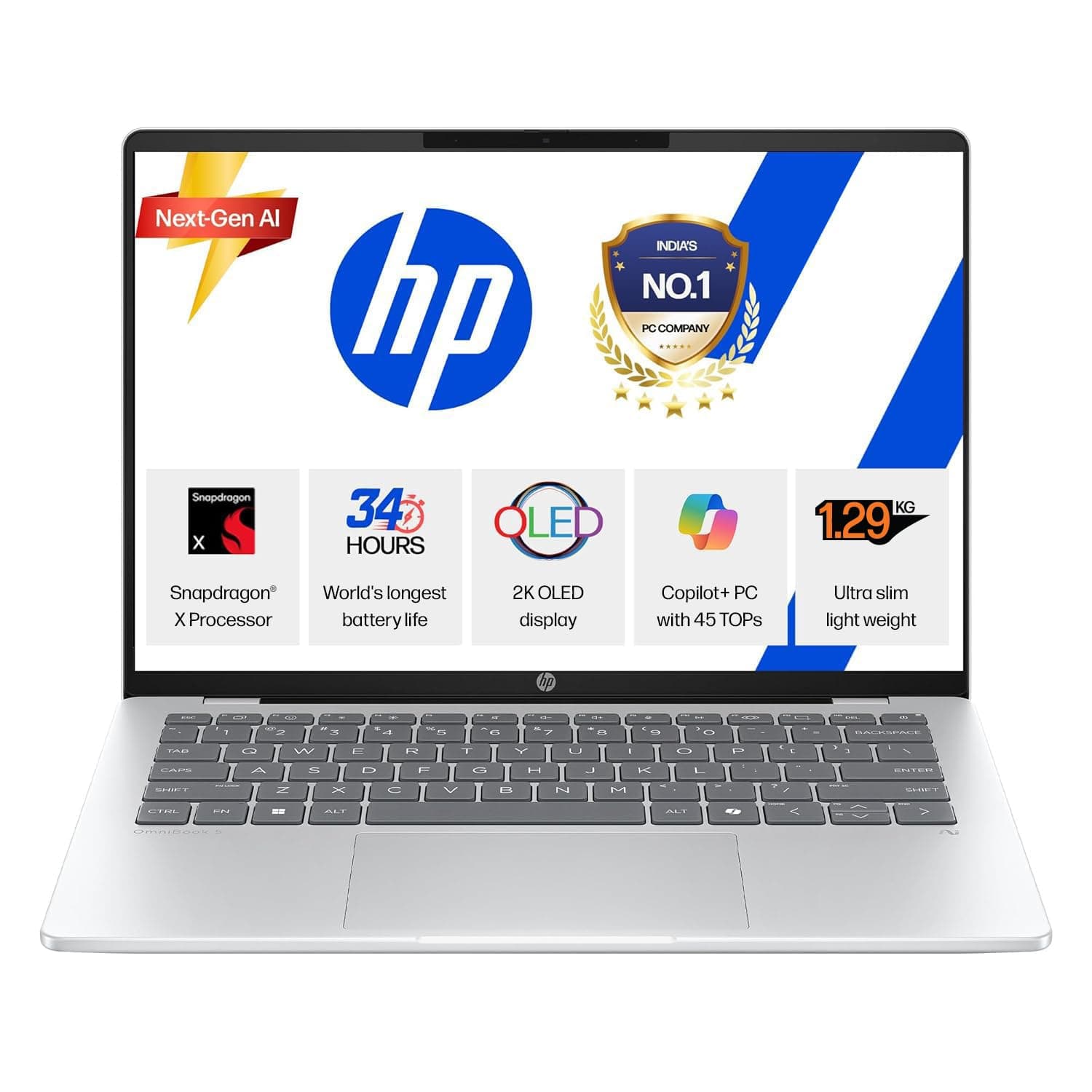
HP OmniBook 5 OLED (Previously Pavilion), Snapdragon X Processor 45 Tops (16GB LPDDR5x, 1 TB SSD), 2K 14''/35.6cm, Win11, Office24, Silver, 1.29kg, he0015QU, Multi-Day Battery, AI Laptop

HP OmniBook 5 OLED (Previously Pavilion), Snapdragon X Processor 45 Tops (16GB LPDDR5x, 1 TB SSD), 2K 14''/35.6cm, Win11, Office24, Silver, 1.29kg, he0015QU, Multi-Day Battery, AI Laptop

HP OmniBook 5 OLED (Previously Pavilion), Snapdragon X Processor 45 Tops (16GB LPDDR5x, 1 TB SSD), 2K 14''/35.6cm, Win11, Office24, Silver, 1.29kg, he0015QU, Multi-Day Battery, AI Laptop

View on Amazon