SabkaCode

Study Smarter. Build Better.

Your Learning Journey Starts with SabkaCode

Discover university-wise study material, subject notes, syllabus resources, previous year question papers, student projects and useful online calculators. Find the resources relevant to your course and make your study routine more organised.

Course-based navigationUniversity-specific resourcesPractical learning tools

2

Universities

397

Subjects

881

Notes & PYQs

87

Detailed Notes

Counts reflect the content currently recorded in the SabkaCode data source. Resource availability varies by university, course and subject.

A Student Resource Platform for Study and Skill Development

Find academic information and practical learning resources through one organised starting point.

Finding relevant study material can take time, especially when different universities use different syllabi, subject codes and semester structures. SabkaCode brings together available academic resources and practical tools to help students navigate their learning requirements more easily.

Depending on the published content, you can explore courses, university-specific subject pages, study notes, syllabus information, previous year question papers and other examination preparation resources. Students interested in practical development can also browse project ideas and online tools for common calculations.

Start by selecting your course and university, then follow the available subject and semester structure. This helps you focus on resources that are more relevant to your programme instead of relying on material that may follow a different curriculum.

SabkaCode is intended to support learning and revision. Always compare important academic requirements with the latest official syllabus and notices published by your university.
Why Students Choose SabkaCode

A more organised way to discover academic resources and practical learning opportunities.

Completely Free

No signup, no paywalls. Every note, syllabus and previous year paper on SabkaCode is free to access.

Organised by University

Content is structured by your actual course and university, not a generic one-size-fits-all syllabus.

Unit-Wise Detailed Notes

Many subjects go beyond a syllabus list — full written, unit-wise notes with diagrams, built right into the subject page.

Real Previous Year Papers

Actual past exam papers organised by year and exam type, so you know exactly what to expect.

How to Use SabkaCode

Follow a simple route from your course to the academic resources available for your subjects.

1

Pick Your Course & University

Start from Courses, choose your degree (BCA, BBA, MCA, MBA and more), then select your university.

2

Go to Your Semester & Subject

Pick your semester, then the subject you need — everything is organised exactly how your syllabus is structured.

3

Open Notes, Syllabus & PYQs

Each subject page has its syllabus, unit-wise notes where available, and previous year question papers in one place.

4

Study & Revise

No downloads or signups needed to start reading — save the Previous Papers page for quick access before exams.

Study Material, Notes and Exam Preparation

Understand the different resource types and how they can support your preparation.

University-Wise Study Material

Find academic resources organised around available universities, courses and subjects. Checking the correct university and course helps you avoid confusing similar subject names or unrelated syllabi.

Explore study material

Subject Notes and Syllabus

Use subject-level resources to review concepts, understand important topics and organise your revision. Where available, detailed notes can support deeper learning alongside your prescribed syllabus.

Browse notes

Previous Year Question Papers

Practise with available previous-year papers to assess your understanding, improve answer-writing skills and become familiar with earlier examination formats. Past questions do not guarantee what will appear in future examinations.

Find question papers

Projects and Practical Learning

Explore student project ideas and available technical resources to practise programming, apply classroom concepts and develop a better understanding of software and application development.

Explore projects

Featured Student Projects

Explore project ideas that can help you practise programming and apply technical concepts.

View all projects

Before choosing a project, review its objectives, required technologies and available resources. Build and understand your implementation, test its main features and follow your institution's academic integrity requirements.

Useful Online Tools for Students

Explore calculators and utilities for common academic and everyday calculations.

View all tools

Use the relevant calculator, enter the required values and review its instructions. For academic calculations, check the grading or conversion rules used by your institution.

Universities on SabkaCode

Choose your university to explore the academic information currently available for its courses.

2 universities are currently marked active in the university directory. Course and subject availability can differ by institution.

Explore all universities

How to Prepare More Effectively for Exams

Use a consistent study routine to understand concepts, practise questions and track your progress.

Build a realistic study plan

Begin with your prescribed syllabus, identify the topics that need the most attention and divide your preparation into manageable sessions. Combine reading, revision, written practice and self-assessment instead of relying on a single resource.

Explore study material

Check your understanding

After revising a topic, try answering questions without looking at your notes. Use available previous-year papers to practise structured answers, review mistakes and identify concepts that require further study.

Practise with question papers

A practical revision checklist

  • Check your university, course, semester and subject before using study material.
  • Read the prescribed syllabus and divide topics into manageable revision sessions.
  • Understand concepts first, then use questions and previous papers to test your knowledge.
  • Practise writing answers within a realistic time limit when preparing for examinations.
  • Verify important academic requirements against current official university documents.
  • Review difficult topics regularly instead of relying only on last-minute preparation.

Learn, Practise and Build with SabkaCode

Academic preparation and practical development are both important parts of a student's learning journey.

Learn concepts

Use relevant notes and subject resources to understand topics, review definitions and reinforce classroom learning.

Practise for examinations

Revise your syllabus and practise with available previous papers and questions to assess your preparation.

Develop practical skills

Explore project ideas and technical resources to practise coding, problem-solving and application development.

Why Students Choose SabkaCode

Discover the features and approach behind the platform.

Completely Free

No signup, no paywalls. Every note, syllabus and previous year paper on SabkaCode is free to access.

Organised by University

Content is structured by your actual course and university, not a generic one-size-fits-all syllabus.

Unit-Wise Detailed Notes

Many subjects go beyond a syllabus list — full written, unit-wise notes with diagrams, built right into the subject page.

Real Previous Year Papers

Actual past exam papers organised by year and exam type, so you know exactly what to expect.

How It Works

Follow the available academic navigation to find relevant learning resources.

1

Pick Your Course & University

Start from Courses, choose your degree (BCA, BBA, MCA, MBA and more), then select your university.

2

Go to Your Semester & Subject

Pick your semester, then the subject you need — everything is organised exactly how your syllabus is structured.

3

Open Notes, Syllabus & PYQs

Each subject page has its syllabus, unit-wise notes where available, and previous year question papers in one place.

4

Study & Revise

No downloads or signups needed to start reading — save the Previous Papers page for quick access before exams.

Frequently Asked Questions

Answers to common questions about study material, universities, examinations and student resources.

Is SabkaCode really free to use?

Yes. Notes, syllabus pages and previous year papers are all free — there's no signup or payment required to read them.

Which universities and courses are covered?

AKTU, CSJMU, DBRAU and CCSU are covered so far, across courses like BCA, BBA, MCA and MBA, with more universities and courses being added over time.

What's the difference between the syllabus and the detailed notes?

The syllabus section lists the official unit-wise topics for a subject. Where available, the detailed notes go further — full written explanations with diagrams for each unit, built into the subject page itself.

Can I find previous year question papers for a specific subject?

Yes — open the subject page and check its PYQs tab, or use the Previous Papers page to browse papers by university, course and subject.

How do I request a subject, university or paper that's missing?

Reach out from the Contact page — content is added regularly based on what students ask for.

Start Exploring SabkaCode Today

Choose your course, find your university and explore the resources available for your subjects. Whether you are revising for an examination, looking for study material or planning a technical project, start with the section most relevant to your learning goals.

Sponsored

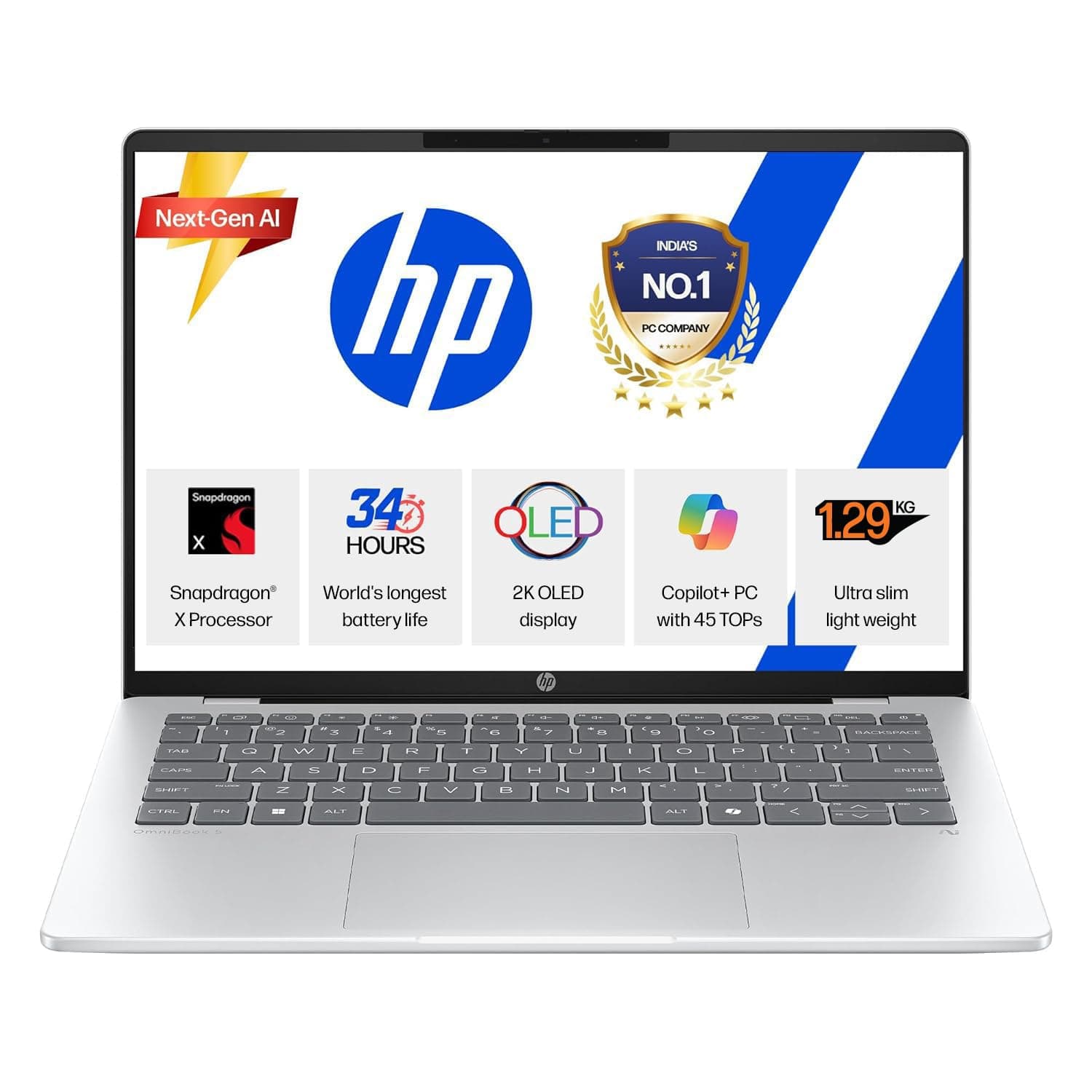
HP OmniBook 5 OLED (Previously Pavilion), Snapdragon X Processor 45 Tops (16GB LPDDR5x, 1 TB SSD), 2K 14''/35.6cm, Win11, Office24, Silver, 1.29kg, he0015QU, Multi-Day Battery, AI Laptop

HP OmniBook 5 OLED (Previously Pavilion), Snapdragon X Processor 45 Tops (16GB LPDDR5x, 1 TB SSD), 2K 14''/35.6cm, Win11, Office24, Silver, 1.29kg, he0015QU, Multi-Day Battery, AI Laptop

HP OmniBook 5 OLED (Previously Pavilion), Snapdragon X Processor 45 Tops (16GB LPDDR5x, 1 TB SSD), 2K 14''/35.6cm, Win11, Office24, Silver, 1.29kg, he0015QU, Multi-Day Battery, AI Laptop

View on Amazon